🇮🇳 हिंदी
🇺🇸 English | 🇮🇳 हिंदी | 🇯🇵 日本語 | 🇨🇳 简体中文 | 🇪🇸 Español | 🇧🇷 Português (Brasil) | 🇰🇷 한국어 | 🇩🇪 Deutsch | 🇫🇷 Français
Note: यह अनुवादित संस्करण है। अंग्रेज़ी
README.mdही आधिकारिक स्रोत है।
RAG Container Template










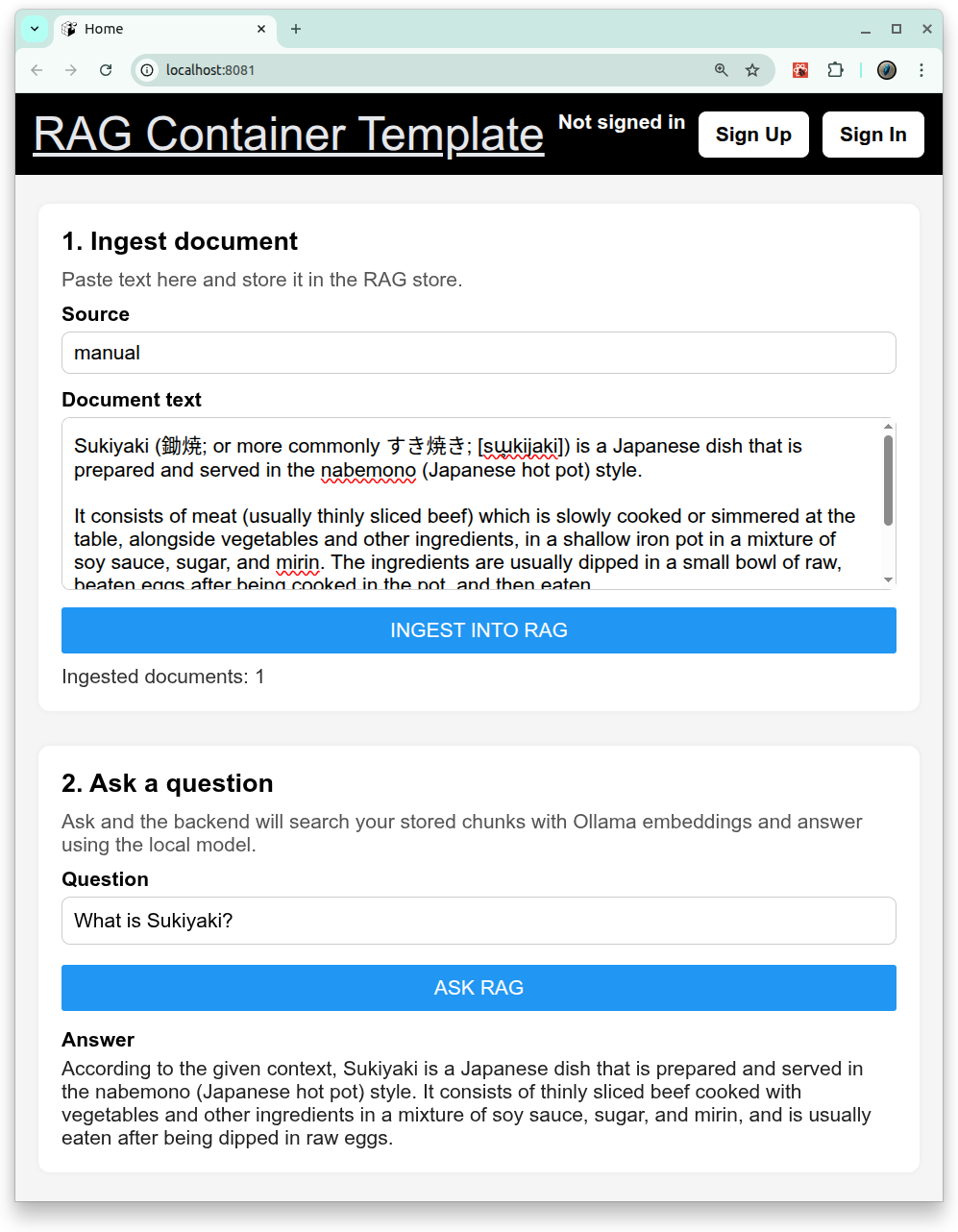
यह रिपॉज़िटरी local Retrieval-Augmented Generation (RAG) सिस्टम बनाने के लिए एक full-stack sandbox है।
Backend एक FastAPI service है जिसमें authentication और RAG API शामिल हैं। यह persistent vector store के रूप में ChromaDB और embeddings तथा chat दोनों के लिए Ollama का उपयोग करता है। Frontend एक Expo / React Native app है जो backend से संवाद करता है।
Features
- Backend
- FastAPI
- Frontend
- Expo / React-Native
- DataBase
- PostgreSQL
- RAG (Retrieval-Augmented Generation)
- Ollama के साथ Embeddings
- ChromaDB के साथ Vector store
- Chat / Answer generation
- DevOps
- Docker Compose
- GitHub Actions workflows
Architecture
+-----------------------------+
|        Frontend (Expo)      |
|  - React Native app         |
|  - Calls backend /auth,     |
|    /items, /rag endpoints   |
+--------------+--------------+
               |
               v
+-----------------------------+
|       Backend (FastAPI)     |
|  - Auth & Items routers     |
|  - RAG router (/rag/...)    |
|  - SQLAlchemy + Postgres    |
+--------------+--------------+
               |
       +-------+----------+
       |                  |
       v                  v
+-------------+   +------------------+
|  ChromaDB   |   |   Ollama (LLM)   |
|  Vector DB  |   |  /api/chat       |
|  /chroma_db |   |  /api/embeddings |
+-------------+   +------------------+
🚀 Getting Started
1. Prerequisites
2. Build and start all services:
# set environment variables:
export REACT_NATIVE_PACKAGER_HOSTNAME=${YOUR_HOST}

# Build the image
docker compose build

# Run the container
docker compose up
3. Test:
# Backend pytest
docker compose \
  -f docker-compose.test.yml run \
  --rm \
  --entrypoint /bin/sh backend_test \
  -lc 'pytest -q'

# Backend Lint
docker compose \
  -f docker-compose.test.yml run \
  --rm \
  --entrypoint /bin/sh backend_test \
  -lc 'ruff check /app /tests'

# Frontend Test
docker compose \
  -f docker-compose.test.yml run \
  --rm frontend_test
Visit the services:
-
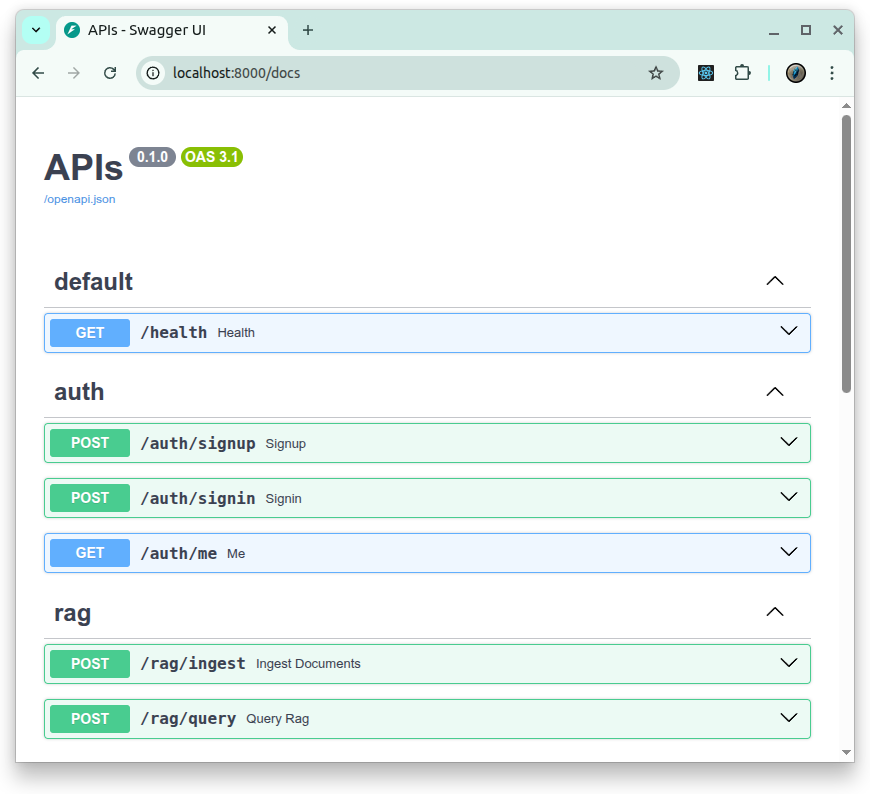
Backend API: http://localhost:8000/docs
- Frontend UI (WEB): http://localhost:8081
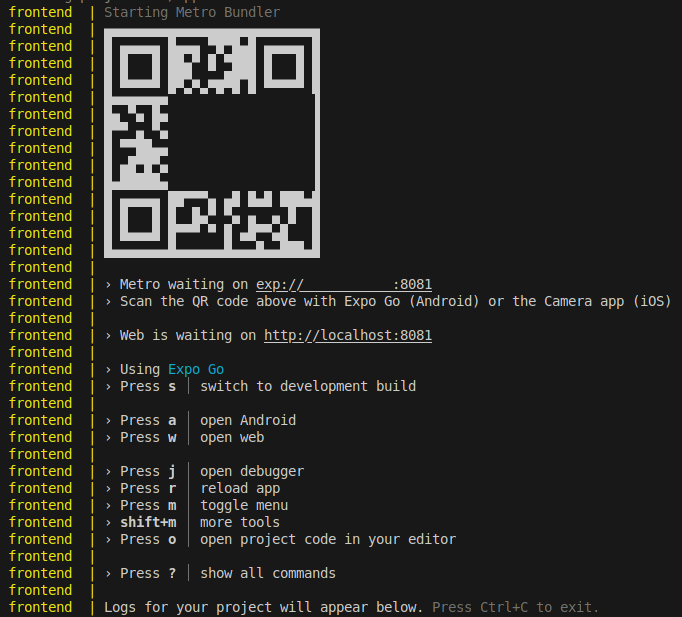
- Frontend UI (mobile): exp://${YOUR_HOST}:8081: Expo द्वारा दिए गए QR से इसे खोलें।
RAG API
Ingest documents
POST /rag/ingest
curl -X POST http://localhost:8000/rag/ingest \
  -H "Content-Type: application/json" \
  -d '{
    "documents": [
      {
        "id": "miura_intro_001",
        "text": "Miura Peninsula is located in Kanagawa, south of Yokohama. It is famous for its coastline, fresh seafood, and views of Mount Fuji on clear days.",
        "source": "local-notes"
      }
    ]
  }'
Response:
{
  "total_chunks": 1
}
Ask a question
POST /rag/query
curl -X POST http://localhost:8000/rag/query \
  -H "Content-Type: application/json" \
  -d '{
    "question": "Where is the Miura Peninsula and what is it famous for?",
    "top_k": 5
  }'
Example response:
{
  "answer": "The Miura Peninsula is in Kanagawa, south of Yokohama. It is known for its coastline, fresh seafood, and views of Mount Fuji on clear days.",
  "chunks": [
    {
      "id": "miura_intro_001_0",
      "text": "...",
      "source": "local-notes",
      "chunk_index": 0,
      "distance": 0.01
    }
  ]
}
License
- Apache License 2.0